Bowtie risk management software
for Mac, iPad & iPhone.

Create professional risk assessments in minutes with Bowtie diagrams that are easy to understand, share and export.

Native software across Mac, iPad and iPhone — no browser, no server, no cloud.
Built on the latest Apple frameworks — instant launch, no lag, even on large diagrams.
100% on-device, offline, no account and completely private.
Aligned with NIST, ISO 31000, HSE, NEBOSH and OSHA risk frameworks.
Trusted by risk professionals in Australia, UK, US and 40+ countries.
AI-powered workflow — build a bow tie diagram in seconds.

Try it free — no credit card required.

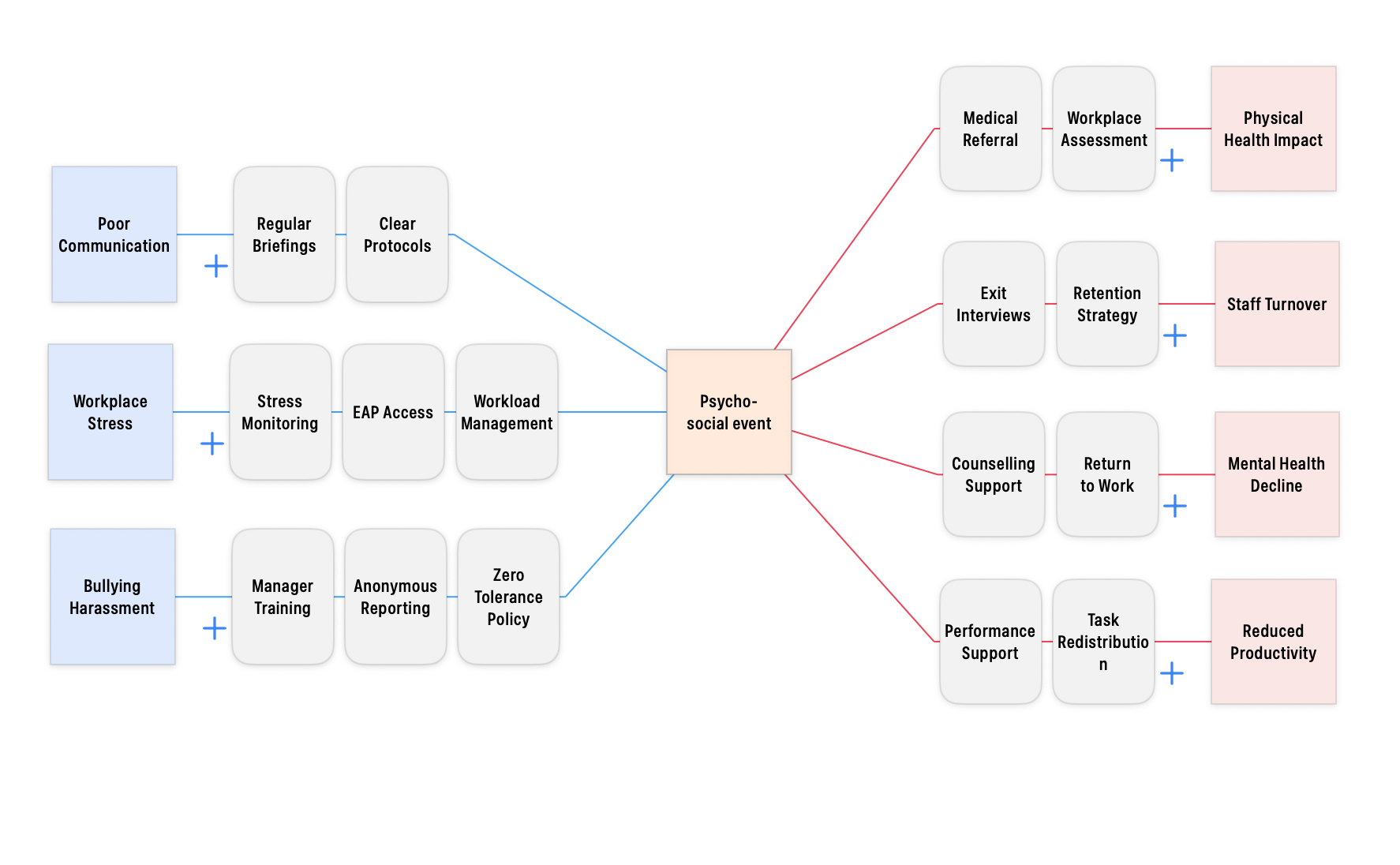
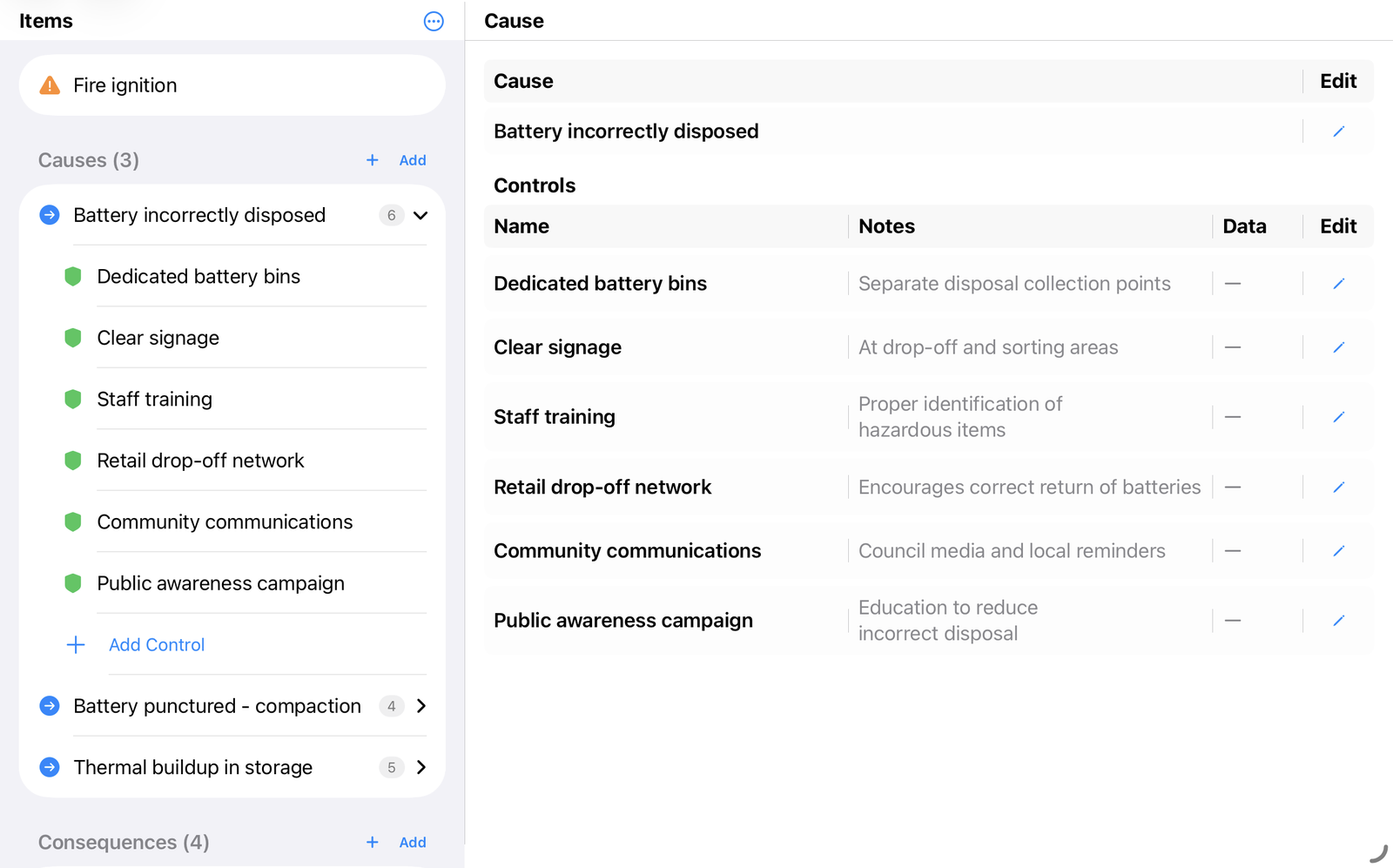
Bowtie risk assessment diagram showing threats, controls and consequences — BowTie Risk app on Mac

Example Bowtie Diagram Downloads

Download a sample BowTie diagram PDF.

Ransomware Attack Ignition Event — Recycling Facility Equipment Failure Medical Event — School Camp Financial Fraud

The full picture, in one view.

A bowtie diagram shows the full picture in one view — every cause on one side, every consequence on the other, and every barrier in between. Anyone from the frontline to the boardroom can see at a glance how a risk is being managed, and whether it's under control.

BowTie Risk was developed by professional risk consultants, as barrier risk management software built on decades of barrier-based risk assessment practice — used in aviation, healthcare, energy and government.

Every design decision — from the cognitive science behind the layout to the offline-first architecture — reflects real-world risk assessment and compliance needs, not a feature checklist.

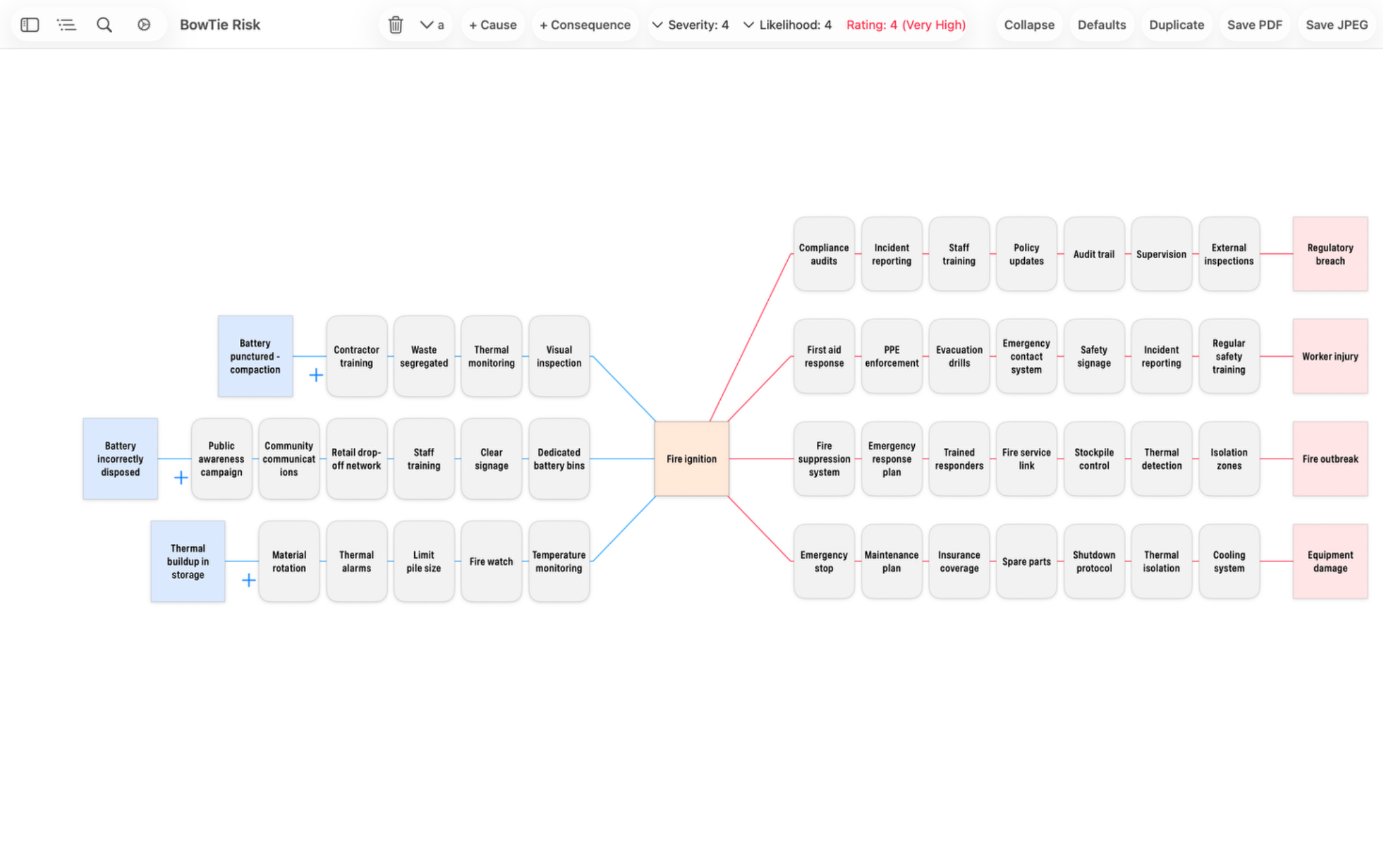
Bowtie risk assessment diagram for ignition event hazard showing fire outbreak, worker injury and regulatory breach consequences — BowTie Risk app on Mac

Ignition event risk assessment — Rating: 5 (Extreme)

Full desktop experience on Mac and iPad.

Mac and iPad give you the full canvas — more space to work with for workshops, detailed assessments and presenting to your team.

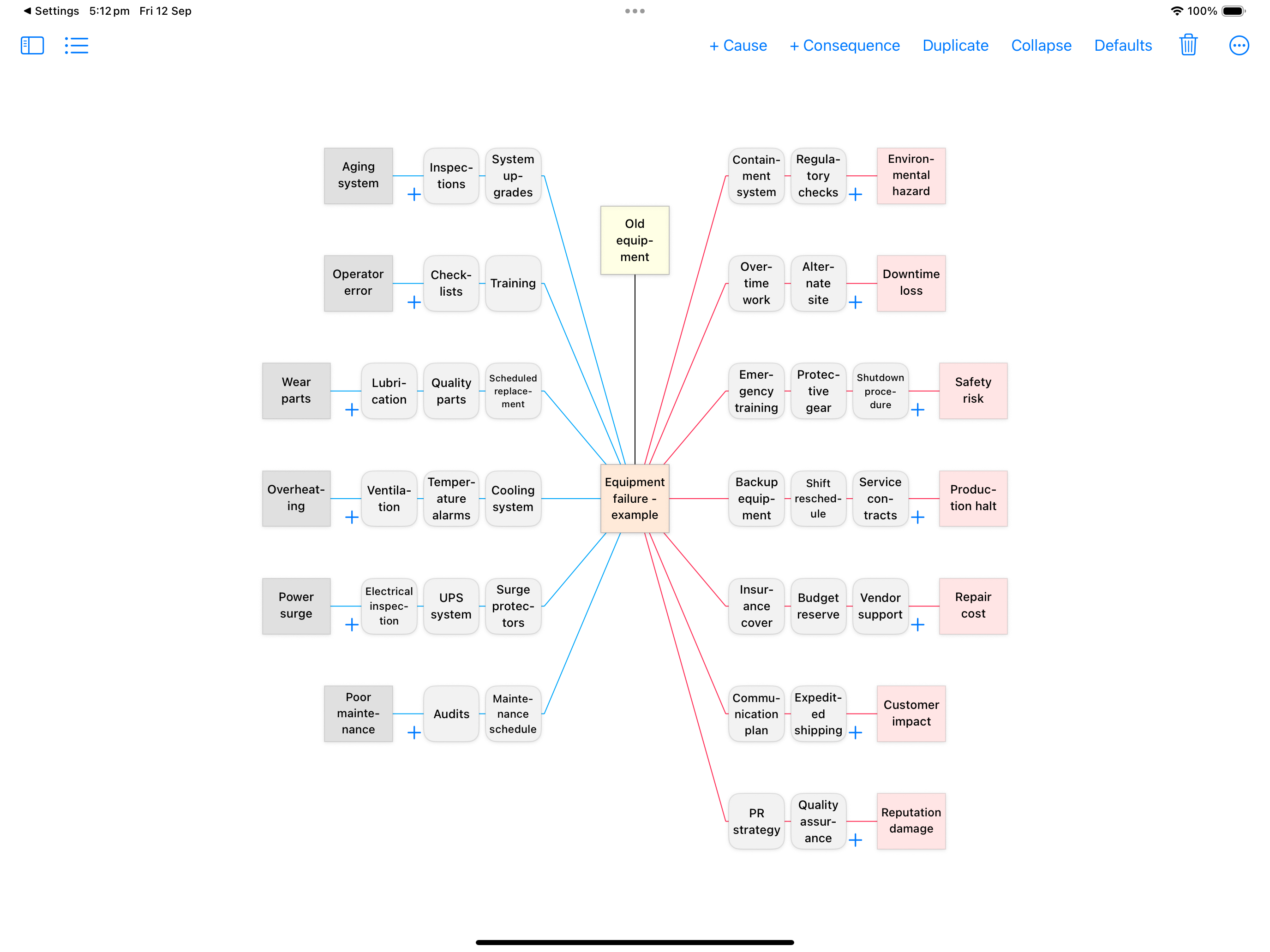
BowTie Risk on iPad — equipment failure bowtie diagram showing threats, controls and consequences

Equipment failure risk assessment — generated in under 60 seconds using the AI workflow.

Professional Reports

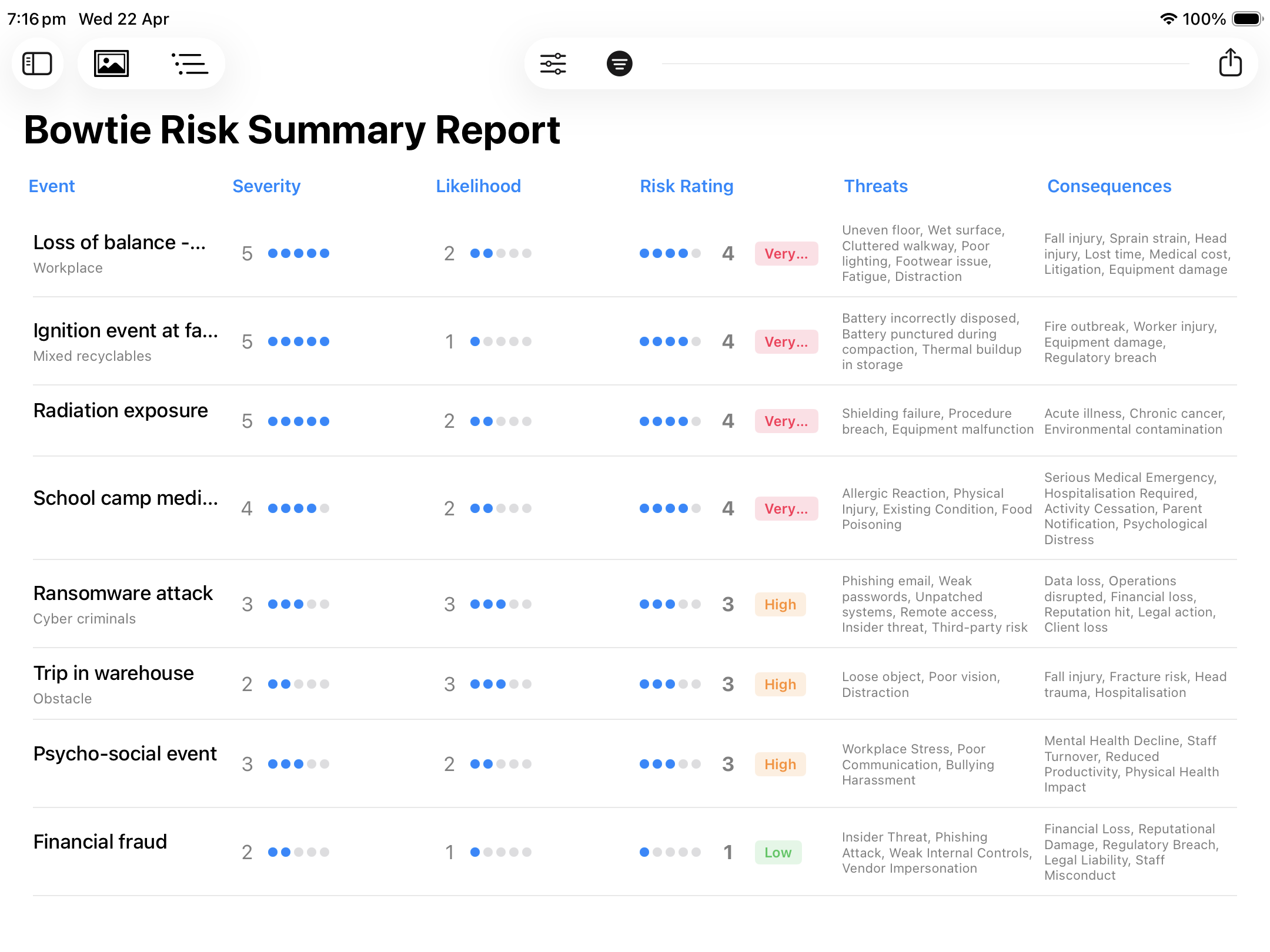
The Detail Report provides full details for every risk and every bowtie diagram. The Summary Report provides a summary of all your bowties in one view. Sort by any column and export straight to CSV. Share with your board, include in a compliance submission, or use to brief your team. One tap — instantly professional.

Bowtie Risk Summary Report on iPad showing risk register with severity, likelihood, risk rating, threats and consequences

Summary Report — iPad Pro

iPhone Companion

BowTie Assessment, on the go.

Build a full assessment on Mac or iPad, then carry it with you — or start straight on iPhone. The same diagrams and reports — fully functional, offline, wherever the work happens.

Pull up a diagram on site to walk a client or crew through the risk picture.
Capture a quick update or new control the moment it comes up — no notebook, no delay.
Review and share a report straight from a meeting, in the field or in the classroom.
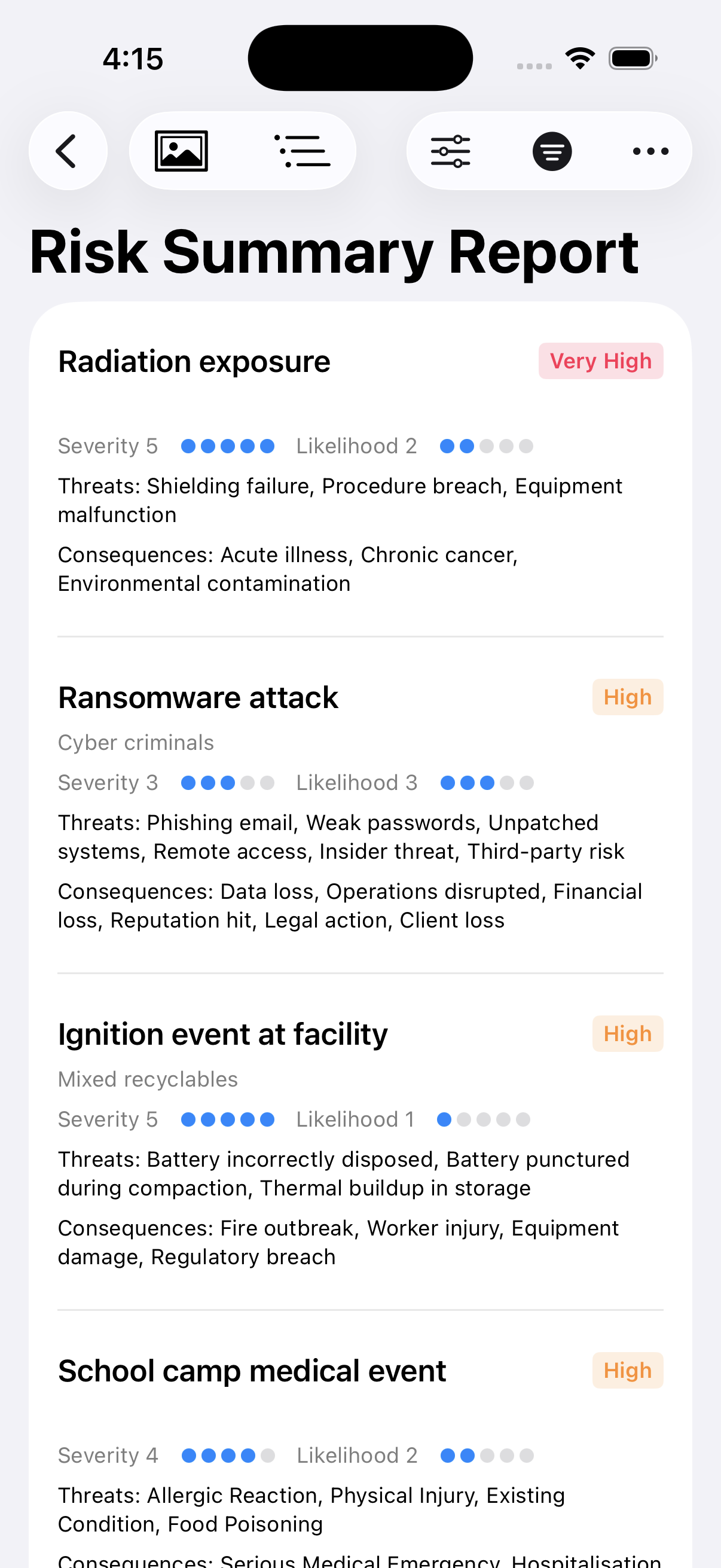
BowTie Risk on iPhone — Risk Summary Report showing severity, likelihood and risk rating
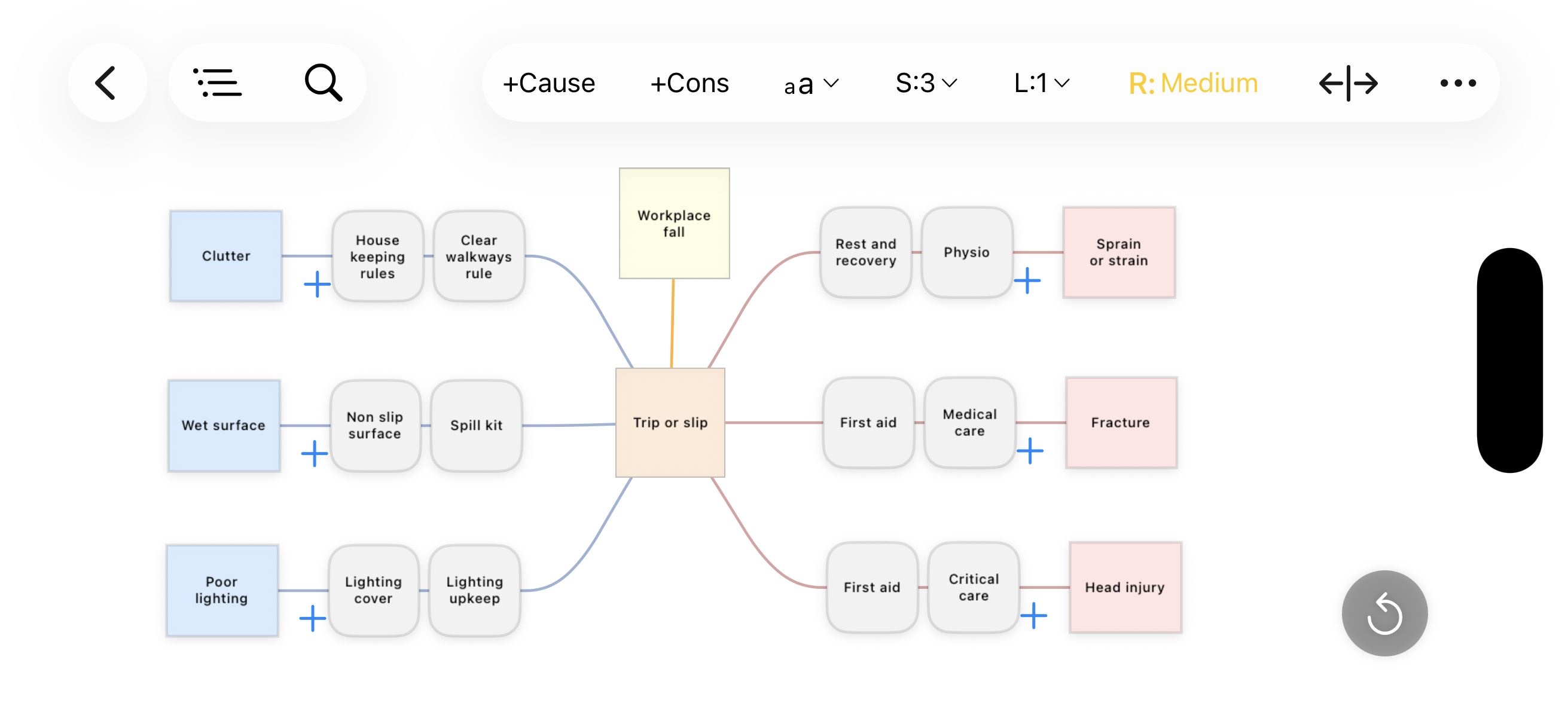
BowTie Risk on iPhone landscape — trip or slip bowtie diagram with controls

Risk Dashboard

Your risk picture, at a glance.

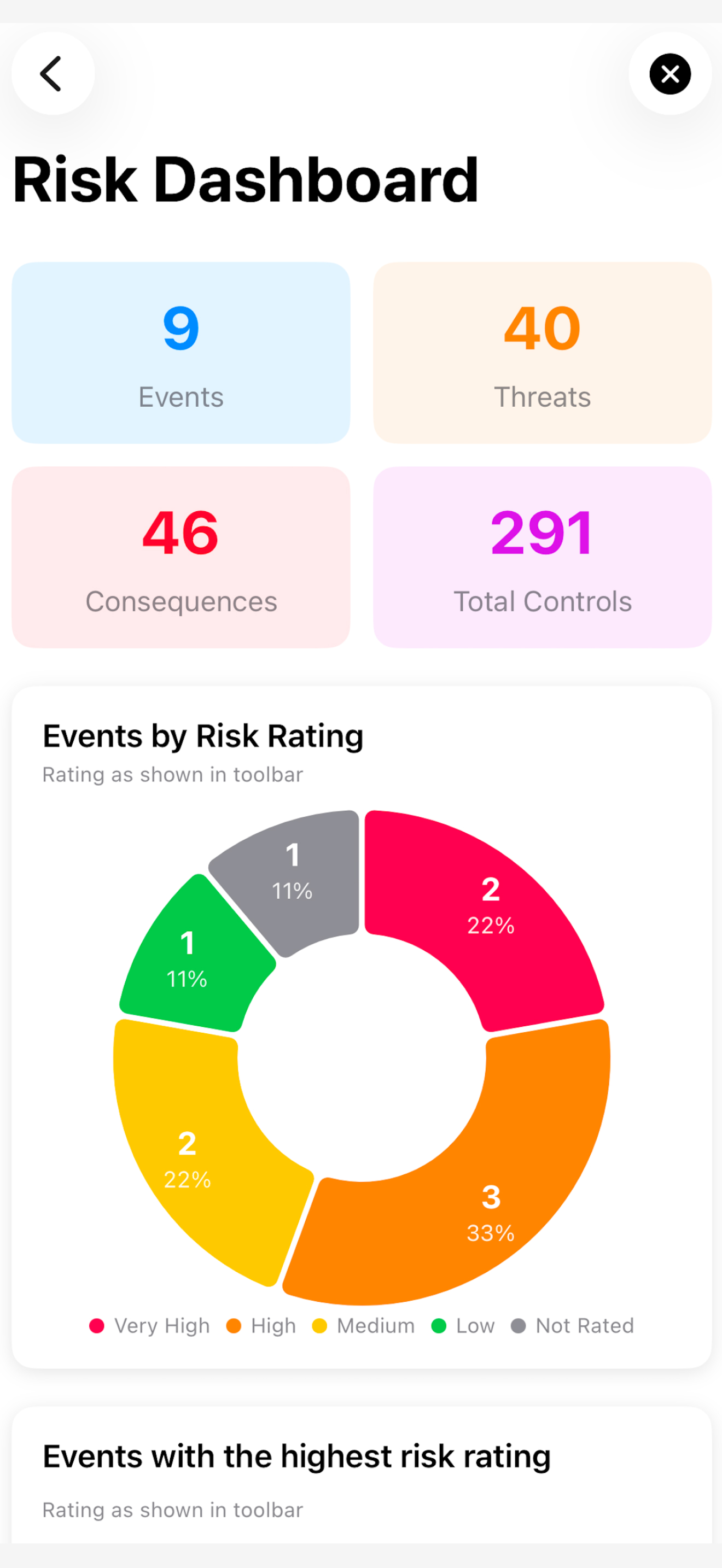
Every event, threat, consequence and control rolled up into one dashboard — updated automatically as you build. See exactly where your risk sits, and which events need attention first.

Instant totals for events, threats, consequences and controls across your assessment.
Events broken down by risk rating, so you can see your overall risk profile in one view.
Highest-rated events surfaced automatically, so nothing critical gets buried.
BowTie Risk dashboard on iPhone showing event, threat, consequence and control totals with a risk rating breakdown chart

Built on cognitive science

Miller's Law

In 1956, psychologist George Miller demonstrated that the human brain can only hold 7 (±2) items in working memory at once. Overload that limit and decision-making breaks down.

BowTie Risk is designed around this principle. The bowtie structure deliberately organises complex risk information into focused, bounded groups — threats on one side, consequences on the other — so your brain can process each element clearly without becoming overwhelmed.

Chunked information

Threats, controls and consequences are each grouped separately, keeping each chunk within cognitive limits.

Visual clarity over data overload

A single bowtie replaces pages of text — letting you see the full risk picture at a glance, not wade through it.

Better decisions under pressure

When risks are structured to match how the brain works, teams respond faster and more accurately in critical situations.

Native Architecture

Built for Professional Risk Assessment. Native, on your own hardware.

BowTie Risk was built from the ground up as native Apple software: the same professional bowtie methodology, running entirely on your own Mac, iPad or iPhone. No virtualization, no browser, no compromise.

Legacy Bowtie Software BowTie Risk
Platform Windows-only, no native mobile app Native on Mac, iPad and iPhone
Works without signal Cloud versions need an internet connection Yes — full functionality offline, on-site

This isn't necessarily an either/or — plenty of risk teams keep a heavyweight system of record for enterprise reporting and use BowTie Risk alongside it, as the fast way to actually build and share a diagram with the people who need to understand the risk. See the full comparison →

Security & Compliance, at a glance
All data stored on-device using Apple's native storage frameworks
No accounts, no logins, no third-party servers
No analytics or tracking tools of any kind
Aligned with ISO 31000, NEBOSH, IOSH and OSHA frameworks
Protected by Apple's on-device encryption, sandboxed like every App Store app

See the full security and compliance details on our Bowtie Risk Software page →, or contact us with procurement or security questionnaire requests.

Build a complete BowTie with AI.

BowTie Risk has a built-in AI workflow that works with any AI tool — ChatGPT, Claude, Gemini or any other. No subscriptions, no lock-in. You stay in control. Requires access to your preferred AI.

Step 1

Generate your query

BowTie Risk builds a structured, detailed prompt based on your central risk event — ready to paste into any AI tool.

Step 2

Take it to your AI

Paste the query into ChatGPT, Claude, Gemini or any AI of your choice. Get back a comprehensive set of threats, controls and consequences.

Step 3

Import back in one tap

Copy the AI response and import it directly into BowTie Risk. Your BowTie diagram is built — ready to review, refine and share.

Transformational speed

What used to take hours in a workshop can be drafted in minutes — giving your team more time to review, challenge and improve.

🔍
Sense-check existing BowTies

Already have a diagram? Use the AI workflow to check for threats or consequences you may have missed — a second opinion in seconds.

Professional tools. Accessible pricing.

Start free on any platform.

Free
No credit card needed
Create fully editable bowtie diagrams
Export to CSV, PDF and JPEG
Offline — no internet required
Private — all data on device. No account required.
Unlimited diagrams
Risk assessment tools
Customisable risk matrix
Compliance reports
AI workflow
Premium
$14.99 / month
OR
$149.99 / year 2 WEEK FREE TRIAL
Download free · subscribe inside the app
Prices in USD. May vary by country
Unlimited diagrams
Full risk assessment tools
Customisable risk matrix
Compliance reports
Import from CSV and text
AI workflow — export to AI, import back
Diagram duplication & copy/paste
No watermarks. No account required.
Enterprise
Custom pricing
Multi-seat licensing via Apple Business Manager
Everything in Premium
Bulk licensing for teams of any size
Invoiced purchasing — no individual credit cards
Centralised deployment via MDM
Or simple redemption codes for smaller teams
Volume pricing for larger deployments
Same on-device security — no cloud, no third parties
Dedicated support for procurement & IT teams

Privacy Policy

This app collects no personal information and does not share any information with third parties. All data is held privately on your device.

Read full policy →

Terms of Use

BowTie Risk is governed by Apple's standard End User Licence Agreement (EULA) for App Store applications.

Read terms →

FAQ

Common questions

What is a bowtie diagram used for?

A bowtie diagram is a visual risk assessment method that maps a risk event to its potential causes (threats) and outcomes (consequences), with preventive and mitigating barriers shown on either side. It's widely used in HSE, WHS, cybersecurity and process safety to communicate how a risk is managed at a glance.

Is BowTie Risk free to use?

Yes. BowTie Risk is free to download with a limited number of diagrams. Premium plans remove the limit and unlock additional features, on both Mac and iPad/iPhone.

Does BowTie Risk work offline?

Yes. BowTie Risk is fully native Apple software that runs entirely on your Mac, iPad or iPhone — no internet connection, account or cloud service is required to create or edit diagrams.

Which platforms does BowTie Risk support?

BowTie Risk is available on Mac, iPad and iPhone as one native app, with your diagrams accessible across all three devices.

What formats can I export a bowtie diagram to?

BowTie Risk exports diagrams and reports as PDF, CSV and JPEG, so they're easy to share, print or bring into a compliance report.

Is BowTie Risk aligned with ISO 31000 or other risk frameworks?

Yes. BowTie Risk's methodology aligns with ISO 31000, ISO/IEC 31010, NIST, HSE, NEBOSH, IOSH and OSHA risk management guidance.

We're here to help

Whether you have a support question or want to discuss how BowTie Risk can work for your organisation, we'd love to hear from you.

contact@bowtierisk.app

Guides & Resources

Learn more about bowtie risk

Everything you need to know about bowtie risk assessment — methodology, tools, and how to get started.

Safety Risk Assessment and Compliance
WHS, HSE, ISO 45001, NEBOSH and OSHA-aligned hazard assessment in the field.
Security Risk Assessment
Corporate security and public safety planning — ASIS SRA-2024 and ISO 31000-aligned.
What Is a Bowtie Diagram?
A plain-English guide to the bowtie methodology and how to build one.
Cybersecurity Risk Assessment
Map cyber threats visually — AI-powered, offline, and board-ready.
Bowtie Risk Software
Bowtie risk software reimagined for Apple devices.
Análisis Bow Tie — Guía en Español
Guía completa de la metodología bow tie para América Latina.

Para América Latina

La única app nativa de análisis bow tie para Mac, iPad y iPhone →